
Name-Based Bexar Case Searches
The Bexar Justice Information Portal names its main lookup Smart Search. Type a person as Last, First Middle, or type an entity name. Capitalization does not matter. Per the official guide, a name may belong to a defendant, plaintiff, attorney, judge, or company, and filters for party role, area of law, case type, status, filing dates, and judicial officer help separate lookalike results.
Begin narrow. A wildcard widens a partial name, but the official minimums are one first-name character and three last-name characters. The result cap is 200. So follow these steps:
- Decide whether the case is district, county, JP, municipal, appellate, or federal.
- Enter the full Bexar County party or entity name before trying a wildcard.
- Open Advanced Filtering Options and select a matching court area, status, type, and filing range.
- Compare the case number, party role, court, and filing date before opening a result.
- Read the summary and Hearings and Events, then verify uncertain entries with the clerk.
Safety note: never enter or publish sensitive identifiers just to make a broad name search easier.
Inside Bexar Odyssey Smart Search
Odyssey splits its advanced screen into General Options, Party Search, Case Search, and Judgment Search. General Options handle location and search type. Party filters refine a name and role. Case filters cover case type, status, a file-date range, and the judicial officer assigned. Cross-reference fields may mention the Sheriff's Office, booking data, or FBI identifiers. Those belong inside a lawful official workflow and never in public notes.
The portal's landing page presents Smart Search. It also offers Search Hearings, Jail Search, Make Payments, and account controls. The official Bexar Justice Information Portal shows these options on its public home screen.
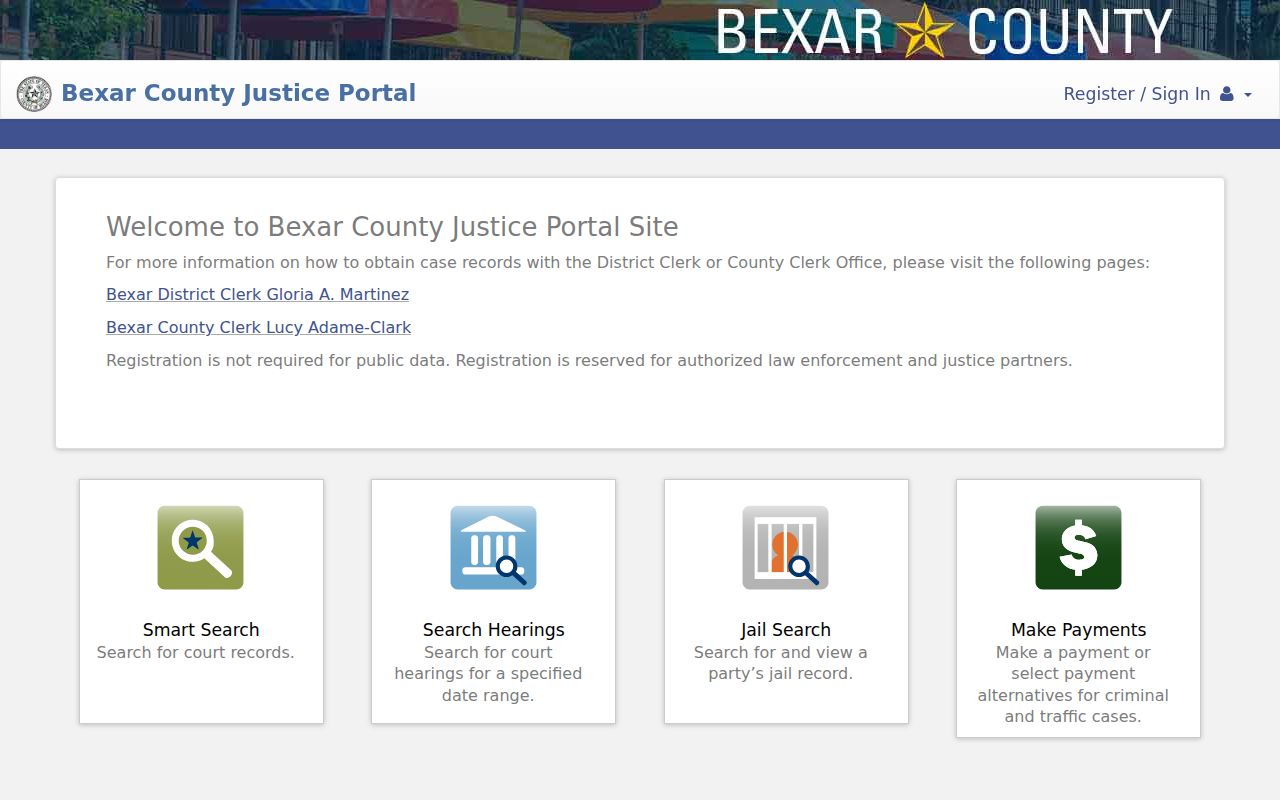
Ordinary public data on the portal is free. No registration is required for it. Justice-partner access is a separate elevated tier that routine public requests cannot reach.
Bexar Case Number Searches
Nothing beats a case number for a precise Bexar County docket search. Drop the identifier into Odyssey's "Enter a Record Number" box. The user guide permits a wildcard only after at least four case-number characters, so use the full number from a summons, order, citation, or clerk notice whenever you can. Never guess at a pattern. Bexar records stretch across several court levels and local numbering systems.
Once a result opens, confirm the number. Check the court, case type, filing date, party roles, and judicial officer. A magistration or municipal citation number may not match the later county case number. The Central Magistrate page shows only a 24-hour Class B or higher arrest view, and city citation numbers live in city portals. Cross-reference data can link identifiers. But the assigned clerk controls the official relationship.
Bexar Results Stop at 200
Smart Search stops at 200 results. Its default grid lists Case Number, Defendant, Type, Party Name, and Party Type. You can sort on any column. The view allows up to six display columns. When a common name hits the cap, tighten it with a file-date range, status, judicial officer, location, case type, or party role. Reaching for an asterisk only makes the overflow worse.
Detail pages load the newest 50 Hearings and Events entries first. Show More or Show All uncovers older activity, and the printer control can preserve a public view. These limits are why the first screen may omit the filing you want. They do not prove an older Bexar County case or event is missing.
Case Search Results Explained
A Bexar County case search hands you structured clues, so read each field on its own before describing the matter. A party name may be a plaintiff, defendant, attorney, or another role entirely. A hearing is just a setting, and a filed charge or claim is never a judgment.
| Case number | The identifier used to reopen the record and contact the correct clerk. |
|---|---|
| Court and type | The venue, numbered court, and civil, criminal, probate, or other category. |
| Parties and roles | Names paired with their recorded function in the case. |
| Status and filing date | The portal’s current status label and date the case entered the system. |
| Hearings and Events | Reverse-chronological settings, filings, court actions, and disposition labels. |
| Documents | Public links where available; other filings may require a cart or clerk request. |
Need the underlying filed paper, certification, or transcript? Take the full Bexar County court case record route instead.
Bexar Search Troubleshooting Chain
An empty result has many possible causes. Spelling, punctuation, a court mismatch, date filters, migration, indexing delay, a city or federal venue, a sealed case, or an excluded category can all hide a match. Work through them in order.
- Remove a narrow status or date filter and recheck the full case number.
- Try the official name format and reasonable spelling variants without exposing private data.
- Confirm felony versus misdemeanor, district versus county, and municipal versus JP custody.
- Retry the current portal with JavaScript and cookies after a timeout or old-link redirect.
- Use re:SearchTX for participating statewide civil material or PACER for federal cases.
- Call or visit the responsible Bexar County clerk and ask about a public terminal or copy process.
Odyssey sessions can expire after 60 seconds. The county also says its new portal consolidated older public searches, so a dead bookmark signals migration rather than anything about case status.
Two Ways to Search: County and State
Bexar Odyssey handles the local daily traffic. For a wider look, re:SearchTX adds a statewide electronic layer, drawing in courts that take part. A free sign-in unlocks it. From there you can run a Bexar County docket search by case number, name, party, attorney, judge, or hearing, and pull public filings through a document cart. Coverage and fees vary by court and document.
| Point | Bexar Odyssey | re:SearchTX |
|---|---|---|
| Best use | Local Bexar County case and hearing routing | Statewide participating-court and document search |
| Public account | Not required for ordinary public data | Free account and sign-in required |
| Key tools | Smart Search, Search Hearings, case chronology | Cases or hearings, advanced search, export, document cart |
| Limits | 200 results, 50 chronology entries at first load | Participation, case date, criminal coverage, and document access vary |
| Official record | Verify with the Bexar clerk | Verify with the court where the case resides |
The official statewide landing and its public account controls appear below.
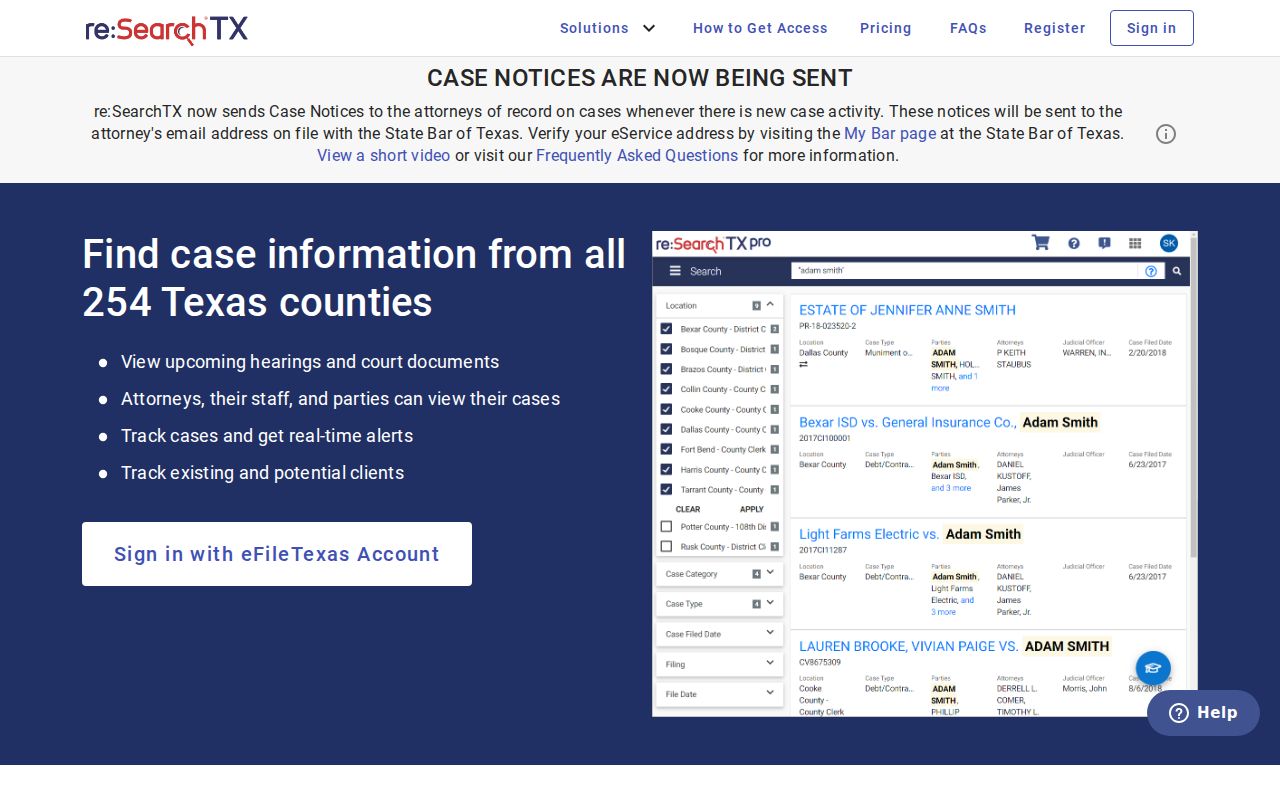
Treat the two systems as stacked search layers. Neither one overrides a sealed order or replaces a certified copy from the clerk.
Bexar Municipal Searches Are Separate
Municipal tickets live outside the Bexar County case search. Each city runs its own system. San Antonio keeps its citation lookup on its current court pages, since the legacy endpoint no longer works. Schertz, Converse, and Live Oak each use a city-branded Tyler portal that accepts a citation number, license, plate, name, or date of birth. Universal City posts its own ticket, payment, and warrant steps in full detail.
Search with the issuing city and the citation number. A ticket written in Schertz or Converse stays a municipal case even if the driver lives in Bexar County. JP traffic and small civil matters go to one of four precinct courts instead. A citation may not come up in a docket search. Keep the paper copy. Call the issuing court before the appearance date.
Which Bexar Cases Stay Restricted
No public docket search can open a restricted case. Bexar County treats adoption, child protection, juvenile or CINS matters, mental-health cases, judicial bypass, minor accounts, and other protected categories as secured. Those case records stay off the public portal. Even an open case can hold sealed or redacted filings. Family and child-related dockets often show less detail than a plain civil case would.
Two rules shape most requests. Texas court open-records policy and Rule 12 govern many judicial-record requests. Texas Family Code Chapter 58 shields juvenile information. The Texas Public Information Act cannot lift a judicial seal. Ask the clerk whether a public index, a redacted copy, or no access at all applies.
Search safely. Never publish a Social Security number, birth date, driver-license number, protected address, booking identifier, child's identity, or sealed fact that appears in a court record.
Bexar Docket Reading Checks
Open Hearings and Events and read the docket from the newest entry backward. "Filed" means an item entered the record, while "Set" schedules an event and "Reset" moves it. A word like "Dismissed" or "judgment" only means something in the exact case and count context where it sits, and a later order can always change an earlier setting.
- Case summary
- Core identifiers, court, type, status, parties, and other public metadata.
- Hearings and Events
- The Bexar portal’s reverse-chronological docket record.
- Cross-reference
- A related identifier used to connect records or search types.
- Show All
- The control used to reveal more than the first chronology entries.
Write down the case number, court, entry date, event text, and source date. That short note makes later verification with the clerk far more reliable.